How to Pay NBI Clearance Using GCash Payment (2026)
NBI Clearance Applicants can use the built-in payment methods to pay their clearance fee. One such reliable and secure payment gateway is GCash, and this article will guide you on “How to Pay NBI Clearance Using GCash?”
GCash is a popular Mobile Wallet and App among Filipinos for paying for various online activities, including the NBI Clearance Fee. Beyond easy money transfer mechanics, GCash instantly provides a Digital Receipt for all transactions.
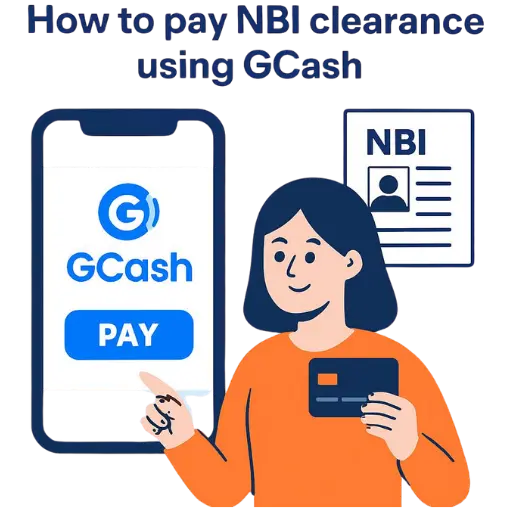
When paying the NBI Clearance Fee Online, applicants should ensure ₱130 in their GCash Wallet and a stable internet connection. At the same time, they can scan the GCash QR Code to pay for the NBI Clearance Fee through a Physical Location.
Features of GCash Mobile App
The NBI Clearance Portal integrates several payment gateways, but preferring GCash is a wise decision for all acceptable reasons. Some of the considerable aspects of GCash Wallet for NBI Clearance are as follows.
Fast Transactions
GCash completes nationwide and international transactions in the blink of an eye. After choosing GCash for the NBI Clearance Fee, applicants need to provide their NBI Reference Number, and the app instantly pays the fee.
Easy to Use

The GCash Mobile Wallet and Mobile App features an optimized interface and navigation panel. The app highlights all the services and transaction sections with instructions to ensure seamless usage and online transactions.
Minimal Service Charges
Unlike other NBI Clearance Payment Gateways, GCash implies minimal service charges for fee transactions. However, applicants must pay additional charges if they choose the doorstep delivery option to receive a clearance certificate.
24/7 Availability
Surprisingly, GCash comprises several virtual servers across the Philippines to ensure 24/7 services. As a result, users can make their transactions around the clock, including paying for the NBI Clearance Fee.
Provides Digital Receipts
Lastly, GCash generates an automated payment receipt for each transaction. After paying for the NBI Clearance, GCash provides a digital slip that applicants can submit to the portal as their NBI Clearance Payment Receipt.
Requirements For GCash Payment
To settle your NBI Clearance with the help of GCash, you should have a couple of straightforward requirements arranged. These will ensure an uninterrupted payment process for online transactions, save time, and avoid frequent payment mistakes.
Installed GCash App
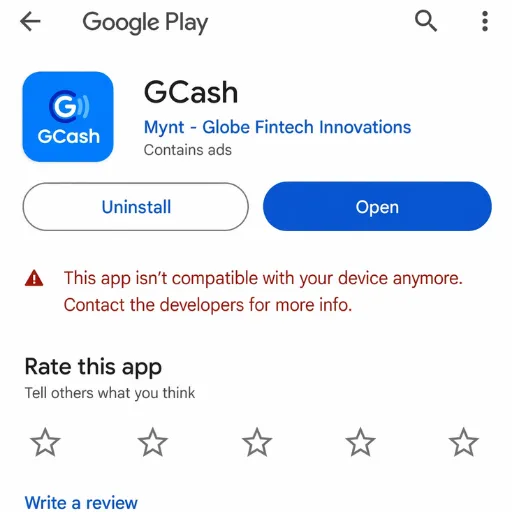
You need to pay for your NBI Clearance using the GCash app on your smartphone. Make sure you have the latest version of the app. This will ensure you are not limited in the payment functions you can use.
NBI Clearance Reference Number
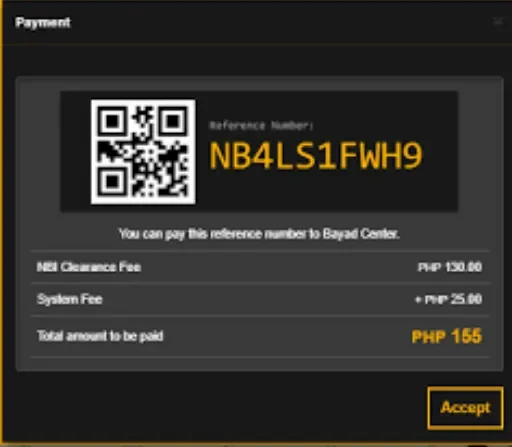
Before you can make the payment, you need a valid reference number. This is the number you create when you make your NBI appointment online. Never leave it unconfirmed to cause payment mismatches.
Cash in GCash Wallet
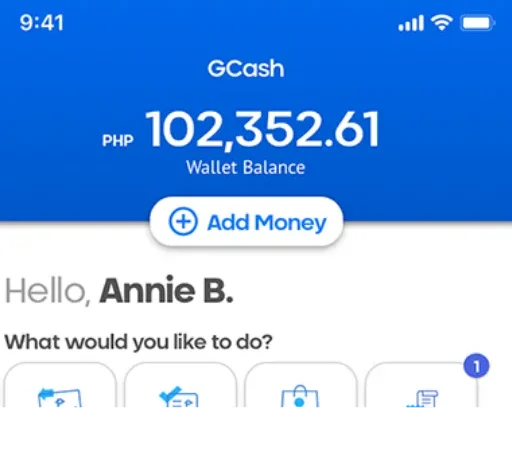
To settle the NBI Clearance fee and other service charges to your GCash wallet, you need a sufficient balance. Preloading funds helps avoid unsuccessful payments. Cashing in can be done at banks, partner outlets, or via online transfer.
Internet Connection

This should be linked to the internet to complete the online transaction. Slow and unstable connectivity may interrupt the payment process. A Wi-Fi connection or a high-quality mobile connection can provide a hassle-free experience.
Guides To Pay NBI Clearance Fee Using GCash
Applicants can adopt any of the three methods to pay for the NBI Clearance using GCash. Of course, the following sections will separately discuss all the possible ways that GCash users can adopt for paying the NBI Fee.
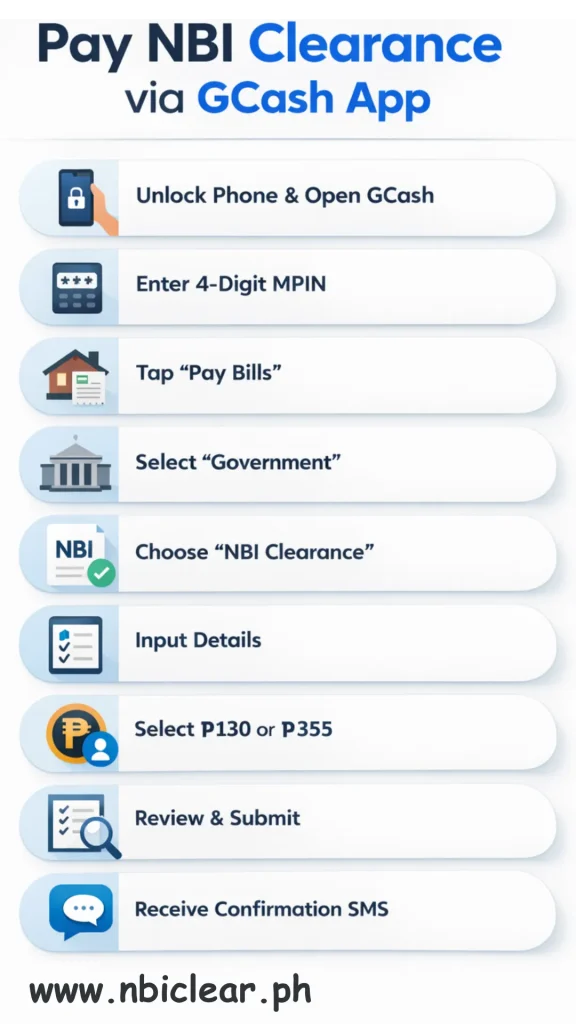
Pay NBI Clearance via GCash App
The GCash Mobile App is the most reliable and convenient option for paying the NBI Clearance Fee. However, applicants should have ₱130 in their GCash Wallet and a stable internet connection to complete their request.
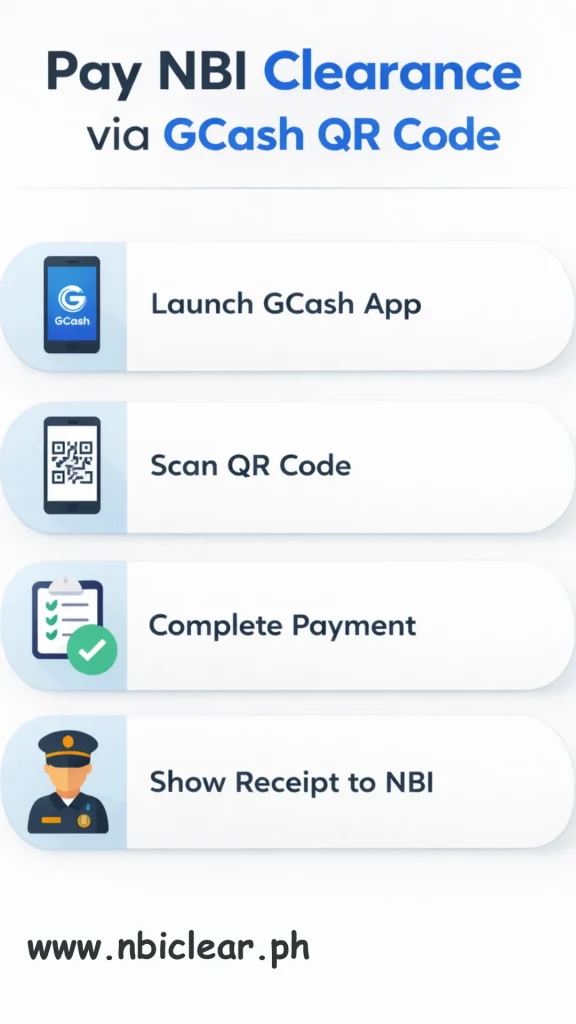
Pay NBI Clearance via GCash QR Code
Applicants can pay the NBI Clearance fee using a QR Code. To prefer this walk-in method for paying the clearance fee, you can visit a nearby payment shop or partner outlet, ask for their QR Code, and scan it using your mobile phone.
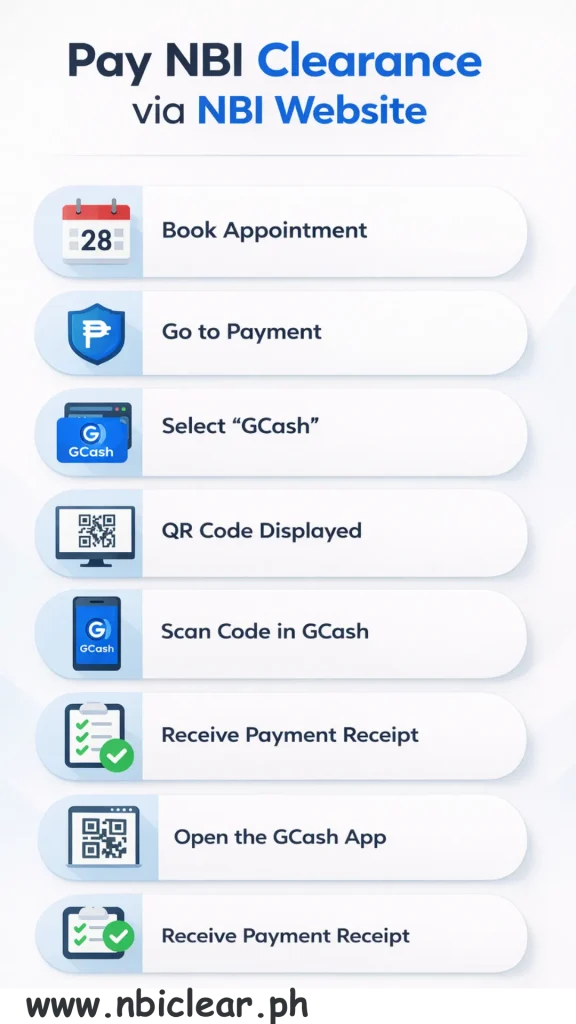
Pay NBI Clearance via NBI Website
Lastly, applicants can select the default GCash option in the NBI Clearance Online Portal. After selecting GCash, the system will open a QR Code, and applicants can scan it and receive an instant payment receipt.
Tips for Successful GCash Transactions
Making your NBI Clearance payment via GCash is a hassle-free process if you follow a few general steps. These pieces of advice save time by avoiding mistakes and delays, or transactions that might fail. Close planning will make the payment process hassle-free.
Save Confirmation Message
Never leave the SMS or in-app receipt behind after you make a purchase. This serves as evidence in the event of system delays or verification issues. You can also save a copy or a screenshot to keep track of your transaction.
Wait for Transaction Time
Some of the payments might take a few minutes to be reflected in the NBI system. Going through the process of refreshing a few times or retaking another payment in the meantime is bad. This is because, with patience, you will ensure your transaction is processed correctly.
Input Correct Reference Number
It will result in unrecognized payments if the incorrect reference number is entered. Recheck the figures and then verify your transaction. This will avoid conflicts and confirm your NBI appointment.
Ensure Sufficient Wallet Balance
Make sure your GCash accounts have sufficient funds to pay the NBI Clearance fee and the convenience fee. A low balance will result in the refusal and postponement of an application. Preloading the money will help you complete the transaction without any hassle.
Additional NBI Clearance Payment Methods
As mentioned earlier, the NBI Clearance Portal accepts various payment methods for fee transactions. Therefore, the following section will highlight all the Payment Gateways available for paying the NBI Clearance Fee Online.
Visa/Mastercard
Primarily, the NBI Clearance Portal accepts only Debit and credit cards with Visa or Mastercard-enabled services. Of course, it is the quickest online method to pay the NBI Clearance Fee with instant confirmation.
7-Eleven (CLiQQ)

NBI Clearance Applicants can use 7-Eleven to pay their clearance fees and claim reference numbers. In practice, the CLiQQ kiosk or the 7-Eleven Mobile App are the two reliable sources for applicants without bank accounts.
Bayad Center
Applicants who prefer to pay the NBI Clearance Fee in Cash can access Bayad Centers. For your information, Bayad Centers allow over-the-counter NBI Clearance payments at thousands of partner outlets in the Philippines.
Maya
Maya is another officially recognized payment gateway for the NBI Clearance Fee. Applicants with an operational Maya Mobile Wallet can navigate to the Government section, select NBI Clearance, and pay the Fee within minutes.
BPI Online
The BPI is an ideal payment gateway for banked applicants of the NBI Clearance. While working at its finest, the BPI ensures instant processing of the NBI Clearance Fee and generation of a digital copy of the payment receipt.
Land Bank
Landbank is another secure option for paying the NBI Clearance Fee through Online Banking and ATM options. After filling out the NBI Clearance Form, applicants can access the LandBank ePayment Portal to pay the fee.
Security Bank
Applicants with accounts in Security Bank can use its online services or mobile app to pay the NBI Clearance Fee. Of course, Security Bank instantly processes the Clearance Fee request and generates a payment reference receipt.
ECPay
ECPay is a reliable option for applicants who prefer to pay the NBI Clearance Fee in cash. Although ECPay is a widely accepted payment method, users often complain about Late NBI Clearance Fee issues through this network.
Conclusion
In short, it is easy to pay ₱130 NBI Clearance Fee by using GCash. The mobile wallet will enable you to pay your fees at any time, from any location, without having to visit the payment centre. In the meantime, GCash instantly provides a digital receipt that applicants can submit to the NBI Clearance Portal as a payment reference. On the sidelines, bookmark our website and push the notification icon to receive an alert whenever we publish a new article or blog related to the NBI Clearance.
FAQs
